Why Do Smart Lights Keep Disconnecting from Wi-Fi and How to Fix It?

Time:2026-07-12 Author:Ethan
0%

Smart lights have transformed our homes into connected ecosystems. However, many users face disruptions due to Wi-Fi connectivity issues. According to a recent survey by Statista, approximately 30% of smart device owners report experiencing connection problems regularly. This statistic highlights the widespread nature of the issue and emphasizes the need for effective solutions.

Understanding "how to troubleshoot smart lights that keep disconnecting from Wi-Fi" is essential for maximizing the benefits of these devices. Connection interruptions not only hinder convenience but can lead to frustration. Researchers at the Consumer Technology Association indicate that consistent connectivity is crucial for user satisfaction. Buyers expect seamless integration and smooth performance from their smart home devices.

Unfortunately, factors such as network congestion, router range, and device compatibility can contribute to connectivity problems. Users must be proactive in finding solutions. Simple steps like repositioning the router or minimizing interference can make a significant difference. A thoughtful approach allows users to enjoy the full potential of their smart lighting systems and ensures reliability in daily use.
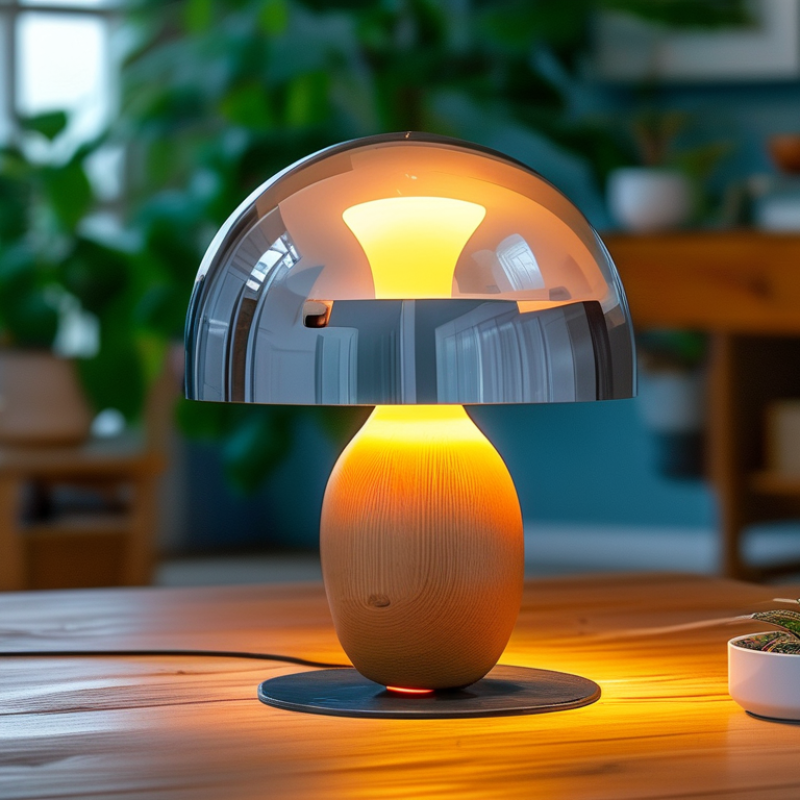
Why Do Smart Lights Keep Disconnecting from Wi-Fi and How to Fix It?

Understanding Common Reasons for Smart Light Disconnections from Wi-Fi

Smart lights can be a convenient addition to any home. However, many users face issues with these devices disconnecting from Wi-Fi. Understanding common reasons for these disconnections can lead to better reliability and performance.

One major reason is weak Wi-Fi signals. Smart lights often operate at a distance from the router. Walls, furniture, and other obstacles can impact the signal strength. If your smart light is far from the router, the signal may struggle to reach it. This can lead to frequent dropouts and interruptions. Try moving the router closer or using a Wi-Fi extender to improve coverage.

Another issue could be interference from other devices. Bluetooth devices, microwaves, and even thick walls can disrupt Wi-Fi signals. This interference might create a delay in communication between the smart light and your network. It could prompt disconnections. Regularly rebooting your router could help clear up minor disruptions. Keeping the firmware of your smart lights updated is equally important. Outdated versions might not be fully compatible with the latest Wi-Fi protocols. Regular maintenance can go a long way in keeping your smart home efficient.

Why Do Smart Lights Keep Disconnecting from Wi-Fi and How to Fix It?

Issue Description Potential Solutions
Weak Wi-Fi Signal Smart lights are located far from the router, causing connectivity issues. Move the router closer, use a Wi-Fi extender, or switch to a mesh network.
Router Compatibility The router may not support the frequency (2.4GHz or 5GHz) needed by the smart lights. Check router settings and ensure compatibility with the light's frequency.
Interference Other devices may be causing interference, disrupting the Wi-Fi signal. Move competing devices away from the router and smart lights.
Firmware Issues Outdated firmware on lights or router can lead to disconnection. Update firmware on both smart lights and the router.
Network Overload Too many devices connected to the network can overload bandwidth. Disconnect unused devices or upgrade to a higher bandwidth plan.
Configuration Errors Incorrect settings can prevent smart lights from connecting properly. Review and reset smart light configurations in the app.

The Role of Wi-Fi Signal Strength in Smart Light Connectivity Issues

Smart lights are becoming a staple in modern homes, yet many users experience frequent disconnections from Wi-Fi. One significant factor in this issue is the strength of the Wi-Fi signal. According to a recent industry report, nearly 25% of smart home device issues can be traced back to weak signals.

Wi-Fi signal strength can fluctuate due to various reasons, such as distance from the router, obstructions, and interference. Research indicates that even a simple wall can weaken a Wi-Fi signal by up to 50%. If your smart light disconnects regularly, it might be too far from your router or blocked by furniture.

Tip: Ensure your smart lights are within 30 feet of the router. If this isn't possible, consider a Wi-Fi extender.

Another finding suggests that many users overlook the importance of the 2.4 GHz and 5 GHz bands. While 5 GHz provides faster speeds, its range is shorter than 2.4 GHz. If your smart light relies on the 5 GHz band and is placed further away, it may disconnect frequently.

Tip: Test both bands to see which works better for your smart light. Many routers now allow you to choose or merge the signals to keep your devices connected and stable.

Realizing the limitations and variances in Wi-Fi can lead to frustration. Adapting your setup based on these factors is essential for optimal smart lighting performance.

Impact of Network Interference on Smart Light Performance and Stability

Network interference poses a significant challenge for smart lights. Various devices emit signals that can disrupt Wi-Fi connections. Microwave ovens and baby monitors often function on similar frequencies. This overlap can weaken the connection, causing lights to flicker or disconnect. It's frustrating when technology fails to perform as expected.

Walls and obstacles also contribute to signal degradation. Thick walls and metal structures block signals, leading to erratic performance. If smart lights are far from the router, connectivity issues may arise. Users often overlook the placement of their devices. An effective solution could be repositioning the router to minimize interference.

Regular updates can also help. Ensuring firmware is current reduces vulnerability to connectivity issues. However, troubleshooting can be a trial-and-error process. Sometimes, simply restarting the router or the smart lights offers temporary relief. Users might need to experiment with different setups to find what works best. This exploration can foster a more reliable smart home experience.

Impact of Network Interference on Smart Light Performance

Effective Troubleshooting Steps to Resolve Smart Light Wi-Fi Issues

Smart lights are fantastic for creating ambiance, but frequent Wi-Fi disconnections can be frustrating. When smart lights lose connectivity, the problem often stems from the router's signal strength. Walls, furniture, and appliances can interfere with the Wi-Fi signal, creating dead zones. Try relocating your router to a more central location. This simple change can dramatically improve connection stability.

Another common issue is outdated firmware. Regular updates for both the smart light and the router are crucial. Check the manufacturer’s website for the latest updates. Ignoring updates can lead to compatibility problems, often resulting in disconnections. Also, consider resetting your smart light. A factory reset can resolve several issues, but it may feel like a hassle. Sometimes, just restarting the router can help re-establish the connection.

Interference from other devices can also affect performance. Devices like microwaves or cordless phones might disrupt Wi-Fi signals. It’s worth experimenting with different channels on your router to minimize this interference. If your smart lights still disconnect, it might be time to consult troubleshooting guides or user forums. These resources often contain solutions from people who faced the same challenges.

Exploring Long-term Solutions for Enhanced Smart Light Connectivity

Smart lights often experience connectivity issues with Wi-Fi. This can be frustrating for users who rely on them for convenience. Understanding how to enhance connectivity is crucial. Here are some long-term solutions to improve the situation.

One effective tip is to check your Wi-Fi signal strength. Smart lights require a stable connection. If your router is far from these devices, consider moving it closer. Alternatively, use a Wi-Fi extender to boost the signal. This small adjustment can significantly enhance connectivity.

Another method involves updating your router's firmware. Regular updates ensure that your device operates efficiently. Check the manufacturer's website for the latest version. Keeping your technology updated is crucial for seamless performance.

Finally, avoid overcrowding your network. Too many connected devices can strain your Wi-Fi. Disconnect any unused devices or upgrade to a router that supports more connections. This can create a more stable environment for your smart lights.

These steps may seem simple, yet they can make a significant difference in your smart lighting experience. Implementing them can lead to a more reliable smart home setup.

FAQS

: What can cause smart lights to disconnect from Wi-Fi?

: Weak Wi-Fi signal strength is a common cause. Distance, obstructions, and interference affect connectivity.

How far should smart lights be from the router?

Ideally, keep smart lights within 30 feet of the router for better connection stability.

What are the differences between 2.4 GHz and 5 GHz bands?

2.4 GHz has a longer range, while 5 GHz offers faster speeds but a shorter range.

How can interference affect smart light performance?

Devices like microwaves and baby monitors can disrupt signals, causing flickering or disconnections.

What are some troubleshooting steps for Wi-Fi issues?

Relocate the router, update firmware, and reset the smart light to improve connectivity.

Why does placing the router centrally matter?

A central router location minimizes dead zones caused by walls and furniture.

How often should firmware for smart devices be updated?

Regular updates are crucial to maintain compatibility and reduce disconnection issues.

What should I do if my smart lights keep disconnecting?

Experiment with router channels and check troubleshooting guides for common solutions.

Why is it important to test different setups?

Each home setup varies, so exploring solutions can lead to a more reliable smart home experience.

Is troubleshooting always straightforward?

No, it often requires trial and error. Adjustments may feel frustrating, but they're necessary for stability.

Conclusion

Smart lights often face connectivity issues, leading to frustrating disconnections from Wi-Fi. Understanding the common reasons behind these disruptions is crucial. Poor Wi-Fi signal strength can significantly impact smart light performance, while network interference from neighboring devices or physical obstacles might further destabilize the connection.

To effectively troubleshoot smart lights that keep disconnecting from Wi-Fi, users should assess their network's signal strength and minimize interference. Implementing troubleshooting steps such as repositioning the router, reducing congestion on the network, or utilizing range extenders can help restore reliable connectivity. For long-term solutions, investing in a more robust Wi-Fi system or upgrading to a dual-band router may be beneficial, ensuring that smart lights maintain a stable and consistent connection.

Ethan

Ethan

Ethan is a seasoned marketing professional with a deep expertise in our company's innovative product line. With a passion for sharing knowledge and insights, he takes the lead in regularly updating our corporate blog, where he explores industry trends, product features, and effective marketing......