After sunset, a computer screen can feel unusually harsh. The room becomes dim, while the display remains bright and close to your face. Your eyes may burn, feel gritty, or struggle to refocus on distant objects. Sometimes, the real problem is not the screen alone. Poor lighting, infrequent blinking, dry air, and an awkward viewing distance can work together.
So, how to reduce eye strain from computer screens at night? The answer begins with small, repeatable adjustments rather than expensive gadgets. Dr. Jeffrey Anshel, an optometrist and visual ergonomics specialist, has recommended a simple habit: “The 20-20-20 rule is a good rule of thumb.” Every 20 minutes, look at something about 20 feet away for 20 seconds. It sounds almost too easy. Yet many people forget it when work becomes urgent.
These seven tips will examine practical changes, including screen brightness, warm color settings, room lighting, blinking, posture, and evening breaks. You will see how a lamp beside the monitor can reduce contrast, while moving the screen slightly farther away may ease focusing effort. Clearer glasses prescriptions may also matter, especially after a long day.
There is no perfect setting for everyone. Your eyes may still feel tired after careful adjustments. Persistent pain, blurred vision, headaches, or double vision deserves professional evaluation. These suggestions support healthier screen habits, but they cannot replace an eye examination. Small changes help. Consistency matters more.
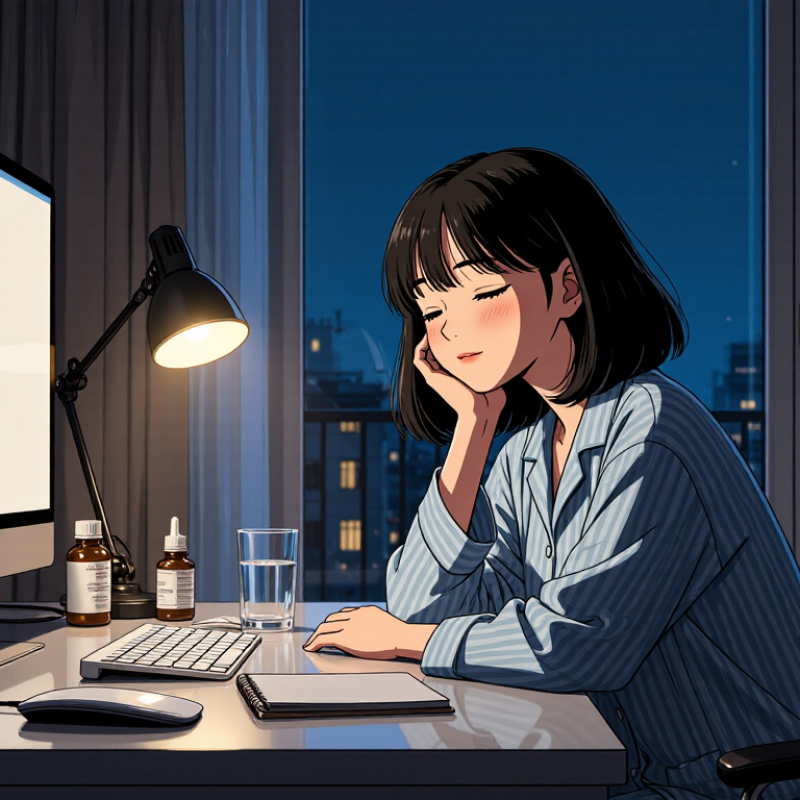
Digital eye strain is widespread, especially during evening computer use. The American Optometric Association estimates that symptoms affect 50–90% of computer users. Common signs include dry eyes, burning, blurred vision, headaches, neck tension, and difficulty refocusing. These symptoms can feel minor at first, yet they may worsen after several hours of screen exposure.
Reduce screen glare by dimming overhead lights and closing nearby curtains. Keep the screen slightly below eye level, about an arm’s length away. Increase text size instead of leaning closer. Blink deliberately, especially during focused tasks. A useful habit is the 20-20-20 rule: every 20 minutes, look 20 feet away for 20 seconds. It sounds simple. Many people forget it.
At night, lower screen brightness to match the room, but avoid making the display uncomfortably dim. Take a five-minute movement break each hour, and gently roll your shoulders. If your eyes feel gritty, pause before using any eye drops; a pharmacist or eye-care professional can recommend suitable options. Persistent pain, double vision, marked redness, or ongoing blurred vision deserves a professional examination. I once treated short breaks as optional, and that was a mistake. Symptoms vary, and screen habits alone may not explain them.
Digital eye strain symptoms affect an estimated 50–90% of computer users.
The chart shows the reported prevalence range of digital eye strain among computer users. Common symptoms include dry eyes, blurred vision, headaches, eye fatigue and neck or shoulder discomfort. Persistent or severe symptoms should be evaluated by an eye-care professional.
Follow the 20-20-20 rule: every 20 minutes, look at something 20 feet away for 20 seconds. A distant window, hallway, or tree can work. This gives focusing muscles a brief reset. The rule is simple, but it is easy to forget. Set a quiet timer if needed.
Tip 1: Keep the screen about an arm’s length away, with its top near eye level.
Tip 2: Reduce brightness until the display matches the room, rather than glowing like a lamp.
Tip 3: Avoid harsh overhead lighting and reflections behind you.
Tip 4: Blink deliberately when reading small text. Nighttime screen use often reduces blinking, which can dry the eye surface.
Tip 5: Enlarge text instead of leaning closer.
Tip 6: Take a longer break after several work cycles. Stand up, stretch your shoulders, and focus across the room.
Tip 7: Stop using the screen when discomfort becomes persistent. Burning, headaches, blurred vision, or unusual sensitivity deserve professional attention. Eye-care guidance supports regular breaks, but the 20-20-20 rule cannot correct every vision problem.
I sometimes underestimate how tiring a bright screen feels late at night. That is worth noticing.
At night, a bright screen can feel uncomfortably close, especially in a dim room. The American Optometric Association recommends keeping digital screens about 20–28 inches from your eyes. That is roughly an arm’s length for many adults. I still catch myself leaning forward when text looks small. That habit quietly reduces the distance.
Place the monitor directly in front of you, rather than at an angle. Use a tape measure once, then mark the desk with removable tape. Keep the top of the screen near eye level, so your neck stays relaxed. Increase text size instead of moving closer. This feels slower at first. It is usually kinder to your eyes. If you use a laptop, a separate keyboard can help maintain the recommended viewing distance. Do not force the number when your prescription or workspace differs.
Eye-care professionals assess viewing habits alongside vision correction, dryness, lighting, and blinking patterns. Check your distance whenever you notice squinting, burning, headaches, or blurred focus. Reduce glare from nearby lamps, and avoid placing a bright window behind the screen. These changes are practical, but they are not a diagnosis. Persistent symptoms deserve an examination by a qualified eye-care professional. One detail I often forget: distance alone cannot fix every problem.
Nighttime screen use can make tired eyes feel gritty, heavy, or slightly blurry. The American Academy of Ophthalmology notes that people may blink about one-third less while viewing screens. Fewer blinks leave the tear film exposed longer. Dryness follows. I notice this most when reading small text in a dim room. It is easy to blame the screen alone, but lighting and posture matter too.
Tip 1: Blink slowly and fully every few minutes.
Tip 2: Follow the 20-20-20 rule: every 20 minutes, look 20 feet away for 20 seconds.
Tip 3: Keep the screen about an arm’s length away.
Tip 4: Position it slightly below eye level. This can reduce the exposed eye surface.
Tip 5: Lower brightness until it matches the room. Avoid a glowing rectangle in darkness.
Tip 6: Increase text size instead of leaning forward. Your neck may thank you.
Tip 7: Take short screen-free breaks before bed.
A humidifier may help if indoor air feels dry, especially near heating systems. Preservative-free lubricating drops can also support comfort, but ask an eye-care professional for suitable options. Do not ignore persistent pain, strong redness, light sensitivity, or vision changes. Those symptoms need professional evaluation. My own routine is imperfect; I sometimes skip breaks when work runs late. That is exactly when dryness usually becomes noticeable.
Nighttime screen use can leave eyes dry, gritty, or painfully tired. The American Optometric Association reports that 50% to 90% of computer users experience digital eye strain symptoms. In my experience, dim rooms make the problem worse. A bright screen becomes the only lamp. Sleep can suffer too.
The American Academy of Sleep Medicine recommends stopping electronic screens at least 30 minutes before bedtime. That small pause gives your brain a clearer transition toward rest.
Tip 1: Set a 30-minute screen cutoff. Use an alarm if needed.
Tip 2: Lower screen brightness to match the room.
Tip 3: Keep the screen about an arm’s length away.
Tip 4: Follow the 20-20-20 rule: every 20 minutes, look 20 feet away for 20 seconds. It sounds simple. I still forget.
Tip 5: Blink deliberately, especially during long reading sessions.
Tip 6: Increase text size instead of leaning closer.
Tip 7: Replace late scrolling with a quiet, screen-free routine.
Reading on paper may help. Gentle stretching works too. The AASM’s sleep guidance supports removing electronic devices before bed, although thirty minutes may not suit everyone. Some people need longer.
If eye pain, headaches, blurred vision, or persistent dryness continues, an eye-care professional should assess the cause.
Every 20 minutes, look about 20 feet away for 20 seconds. A window or hallway works.
Keep it about 20–28 inches away, roughly one arm’s length. Measure once and mark your desk.
Keep the top near eye level. This can help your neck stay relaxed during long sessions.
Match the display to the room’s lighting. Avoid a glowing screen in a dark room.
Avoid placing a bright window behind the screen. Harsh overhead lights can also create distracting reflections.
Enlarge the text instead of moving forward. I still catch myself leaning in, so this habit needs checking.
Blink deliberately when reading small text. Nighttime screen use may reduce blinking and dry the eye surface.
Stop when discomfort persists. Burning, headaches, blurred vision, or unusual sensitivity deserve an eye examination.
No. Breaks may reduce strain, but they cannot correct every vision issue or replace professional assessment.
How to reduce eye strain from computer screens at night starts with recognizing common symptoms such as tired, dry, irritated, or blurry eyes, which affect many computer users. Follow the 20-20-20 rule by looking at something about 20 feet away for 20 seconds every 20 minutes. Keep your screen approximately 20–28 inches from your face and position it slightly below eye level to encourage a comfortable viewing angle.
Nighttime screen use can reduce blinking by about one-third, so blink consciously and use suitable lubricating eye drops if needed. Adjust screen brightness to match the room, reduce glare, and increase text size for easier reading. To protect sleep quality, stop using electronic screens at least 30 minutes before bedtime. Taking regular breaks and creating a calmer evening routine can help your eyes recover and feel more comfortable.

Gravity Light