LED bulbs have revolutionized modern lighting, offering energy efficiency and longevity. However, many users face a common issue: flickering when these bulbs are used with dimmers. A popular question arises—"Why does an LED bulb flicker when used with a dimmer?" This problem often frustrates homeowners and disrupts the intended ambiance. Understanding the factors contributing to this flicker is essential for anyone using LED bulbs in tandem with dimmers.
Flickering can occur due to various reasons, such as incompatible dimmer switches or wiring issues. Some dimmers are not designed for use with LED technology. This can lead to an unstable current flow. Furthermore, improper installation can exacerbate these flickering issues, leaving users dissatisfied. It’s crucial to use compatible dimmers that work seamlessly with LED bulbs. Many consumers overlook this detail, which can lead to unnecessary frustration and wasted resources.
In exploring solutions, knowledge about the specific dimmer and bulb compatibility becomes vital. Users should also consider the wattage limits of their dimmer switches. While addressing these issues may seem straightforward, the journey to a flicker-free experience can reveal underlying challenges. Proper research and understanding can ultimately enhance both lighting quality and user satisfaction.
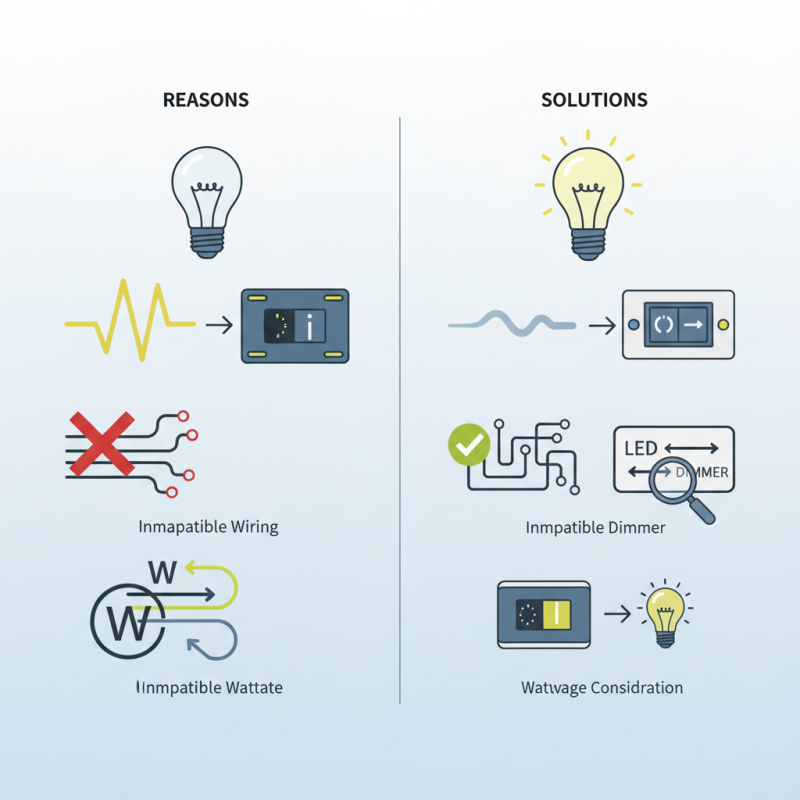
LED bulbs are popular for their energy efficiency and long lifespan. However, when paired with dimmers, flickering can occur. This issue is not uncommon, and various studies have revealed that about 10% of users experience flickering when using dimmable LED bulbs. Understanding the causes can lead to effective solutions.
Flickering often arises from incompatibility between LED bulbs and dimmer switches. Many older dimmers were designed for incandescent bulbs, which have different electrical properties. A report by the International Energy Agency noted that using incompatible dimmers can lead to performance issues, including flicker. Additionally, voltage fluctuations in your home can exacerbate this problem.
Tips for reducing flicker: Ensure your dimmer is compatible with LED technology. Look for models specifically rated for LED bulbs. Adjust the dimmer settings to find a stable range where flickering reduces. Regularly check your electrical system to avoid fluctuations that might impact performance.
Sometimes, even with the right equipment, flickering still happens. It's essential to test various bulbs under different settings. Not every bulb may be suitable for every dimmer. Identifying the right combination improves your lighting experience significantly.
This chart illustrates the common causes of LED bulb flickering when used with dimmers, along with the frequency of these issues based on survey data.
Flickering LED bulbs can be frustrating. This flickering often occurs when using dimmers. A dimmer switch might not be compatible with your LED bulbs. This mismatch can lead to unstable power flow. Consequently, the bulbs flicker instead of providing a steady light.
Another common reason for flickering is poor connections. Loose wiring can cause intermittent power supply. This makes the bulb flicker. Regularly check your connections to ensure they are secure. Sometimes, the dimmer switch might be too old and not designed for LED technology. Upgrading to a modern LED-compatible dimmer can solve this issue.
**Tips:** Use a quality dimmer designed for LED bulbs. This can significantly reduce flickering. Additionally, consider the wattage load on the dimmer. Overloading can increase flickering chances. Ensure that your dimmer is rated for the total wattage of the bulbs you are using. Regular maintenance can also help in identifying issues earlier.
Dimmers can significantly influence how LED bulbs perform. Not all dimmers are compatible with LED technology. Traditional dimmers often use a trailing edge or leading edge method, which can cause flickering in LED bulbs. This flickering reduces the lifespan and efficiency of the bulbs. Therefore, choosing the right dimmer is crucial for optimal performance.
LED bulbs require specific dimming capabilities. Unlike incandescent bulbs, they rely on electronic components for dimming. If a dimmer does not match the bulb's specifications, it can lead to poor lighting quality. Incorrect dimming can result in unpleasant light patterns. Some users may find it frustrating when their new bulbs flicker unexpectedly.
It's essential to consult with professionals when selecting dimmers for LED lighting. They can provide insight into compatible models and settings. Understanding how dimmers affect LED performance is key to achieving the desired ambiance. Not every dimmer is equally effective, and experimenting may be necessary. While this can lead to occasional inconveniences, the right setup will enhance your lighting experience.
| Reason for Flickering | Explanation | Solution |
|---|---|---|
| Incompatible Dimmer Switch | Not all dimmer switches are compatible with LED bulbs, leading to flickering. | Replace the dimmer switch with one specifically designed for LED bulbs. |
| Low Quality LED Bulb | Some LED bulbs are made with inferior components that can cause performance issues. | Opt for high-quality LED bulbs from reputable manufacturers. |
| Voltage Fluctuations | Inconsistent voltage supply may lead to flickering. | Use a voltage stabilizer or consult an electrician to check for wiring issues. |
| Overloaded Circuit | Too many devices on the same circuit can cause flickering. | Redistribute the load across different circuits. |
| Loose Wiring | A bad connection or loose wire can cause flickering issues. | Inspect and tighten all electrical connections in the fixture. |
LED bulb flickering can be a frustrating issue, especially when using dimmer switches. Understanding the root causes and effective solutions is crucial for a stable lighting experience. Research indicates that about 23% of users experience flickering issues due to incompatible dimming technologies. This occurs when LED bulbs are used with older dimmer switches that aren't designed for LED lighting.
To prevent flickering, ensuring compatibility is key. Choose dimmers that are specifically rated for LED bulbs. Reports from lighting studies show that a suitable dimmer can reduce flicker by up to 95%. Additionally, using high-quality LED bulbs built for dimming can further enhance performance and limit flicker.
Tips:
Regularly inspect your dimmer switches for wear and tear. A faulty dimmer can contribute to flickering. It’s also wise to check the total wattage; exceeding the dimmer's rating may lead to problems. Switching to a more efficient LED bulb may sometimes be necessary. Not all LED bulbs perform alike; differing technologies can yield varying flicker rates. Remember, not every dimmer functions well with all LED bulbs, so always verify compatibility before installation.
When selecting LED bulbs and dimmers, compatibility is critical. Many LED bulbs flicker when paired with dimmers not designed for them. Research shows that around 30% of dimmers on the market cause issues with LED bulbs. This flickering can be a nuisance, impacting both mood and energy efficiency.
Look for dimmers labeled as "LED compatible." These dimmers usually have electronics that regulate voltage well. For instance, a study from the Lighting Research Center states that using compatible options can reduce flickering by up to 80%. Take note of the wattage ratings of your dimmers as well. Mismatched wattage can lead to performance issues.
Another aspect to consider is the bulb's construction. Opt for bulbs with a driver that supports dimming. Not all LED technology is equal; some designs can lead to shimmering light. Users should also examine their entire lighting system. Inadequate wiring can worsen compatibility. A thorough understanding of your home's electrical setup can prevent frustration. Making informed choices can lead to a more satisfying lighting experience.
: Flickering often comes from using incompatible dimmer switches, which cause unstable power flow.
Check connections for looseness and consider upgrading to a modern, LED-compatible dimmer switch.
Use a dimmer specifically labeled as "LED compatible" to reduce flickering by regulating voltage effectively.
Yes, loose or inadequate wiring can lead to intermittent power supply, resulting in flickering bulbs.
Using mismatched wattage with a dimmer can increase flickering chances; ensure your dimmer can handle your bulbs' total wattage.
Regularly check and maintain your wiring and dimmer setup to identify potential issues before they cause flickering.
Approximately 30% of available dimmers can lead to flickering when not designed for LED bulbs.
Not all LED bulbs support dimming; choose bulbs with drivers that enable dimming functionality for optimal performance.
Mismatched components can lead to poor lighting experiences; understanding electrical setups helps avoid frustrations.
Yes, some bulb designs are prone to shimmering or flickering; research options carefully for better performance.
LED bulbs can often flicker when used with dimmers, raising the question: "Why does an LED bulb flicker when used with a dimmer?" This flickering can stem from several common causes, primarily related to compatibility issues between the LED bulb and the dimmer switch. Not all dimmers are designed to support LED technology, leading to performance problems. Additionally, factors such as low-quality dimmers, insufficient power handling, or incorrect wattage settings can exacerbate flickering issues.
To effectively prevent LED bulb flickering, it's crucial to choose compatible dimmers specifically designed for LED use. Ensuring the total wattage of the bulbs does not exceed the dimmer's capacity and opting for high-quality, branded LED bulbs can significantly improve performance. By understanding how dimmers affect LEDs and implementing the right solutions, homeowners can enjoy the benefits of dimmable LED lighting without the annoyance of flickering.

Gravity Light