How to Avoid Glare on Glasses During Video Calls?

Time:2026-06-07 Author:Isabella
0%

Video calls have become essential in our daily lives, especially in professional settings. However, they often come with a unique challenge for glasses wearers: glare. Dr. Ellen Hughes, an optometrist with over 15 years of experience, once stated, "Managing glare on glasses is key to clear communication." This insight emphasizes the importance of addressing this issue.

When we engage in video conferences, lighting plays a crucial role. Glare can distort your image and distract viewers. It can even hinder effective communication. To combat this, various methods can be utilized. Adjusting the angle of your light sources can significantly reduce reflections. Furthermore, anti-reflective coatings on lenses can help minimize glare and improve clarity.

Understanding how to avoid glare on glasses during a video call is vital. Creating a visually comfortable experience encourages better interaction. Simple adjustments can lead to noticeable improvements. Yet, it's not always a perfect solution. Sometimes, we must experiment to find what works best. Remember, a few moments spent optimizing your setup can enhance your professionalism and clarity during video calls.
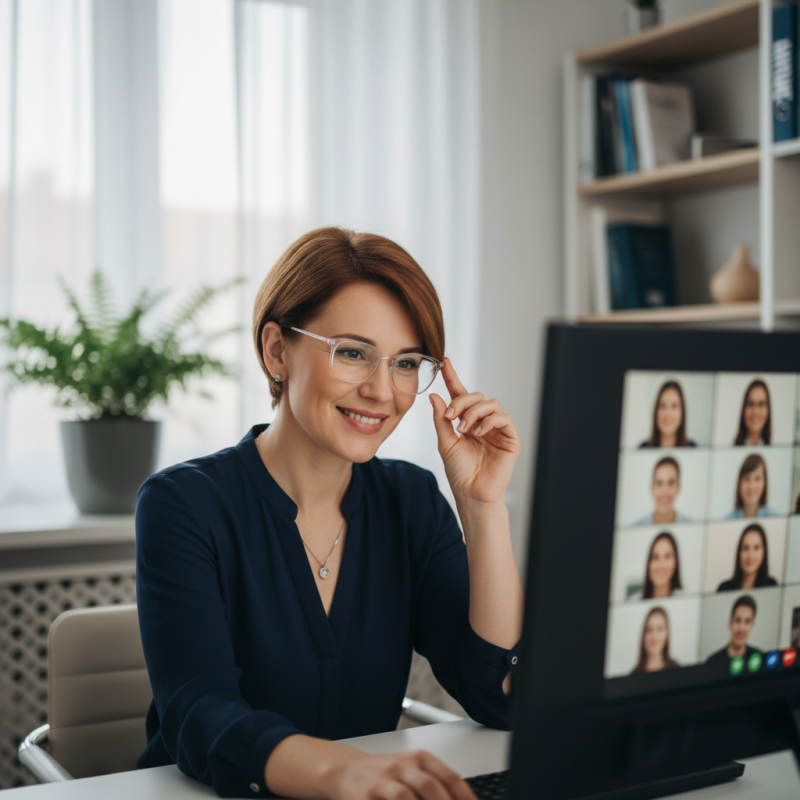
How to Avoid Glare on Glasses During Video Calls?

Understanding the Causes of Glare on Glasses During Video Calls

Glare on glasses during video calls can be frustrating. It often occurs due to lighting and reflections. Understanding these causes is key to minimizing glare. Many people use overhead lights or windows for illumination. These sources can create unwanted reflections on lenses. The angle and intensity of light directly impact how much glare is visible.

Different lens types also play a role. Some materials are more prone to reflecting light. Anti-reflective coatings can help reduce this issue but may not eliminate it entirely. Even with the right equipment, personal habits matter. Adjusting your position slightly can shift the reflection and improve clarity. Small changes, like tilting your head or altering screen angles, make a significant difference.

Setting up a dedicated workspace can also help. Use soft, diffused lighting instead of harsh overhead lights. Position lights at angles that minimize direct reflections. Softboxes or lamps with shades can create an inviting glow, reducing glare. Experimenting with various setups allows you to find what works best for you. It's about trial and error, and every adjustment helps in achieving a clearer video call experience.

Choosing the Right Lighting for Clear Video Calls

Choosing the right lighting for video calls can greatly reduce glare on glasses. Natural light is often best. Position yourself facing a window during the day. The soft, diffused light minimizes harsh reflections. Avoid direct sunlight, as it can create strong glare.

If natural light isn’t an option, artificial lighting can help. Use soft white bulbs instead of bright overhead lights. Desk lamps with adjustable arms can be beneficial. Position them above or beside your camera. This angle will reduce light bouncing off your lenses.

Experimenting with different lighting setups is essential. Sometimes, the ideal mix of natural and artificial light can lead to increased clarity. A poorly lit room can create shadows on your face. This can distract from your message and affect engagement. Adjusting your lights until you find the best combination takes time but is worth the effort.

Adjusting Screen Position to Minimize Reflections

Video calls have surged in popularity, but glare on glasses can ruin the experience. Adjusting your screen position is one effective way to minimize reflections. Studies show that positioning your screen at a 90-degree angle to your line of sight can reduce glare significantly. This simple adjustment can enhance visibility, making conversations smoother.

Consider the light source in your environment. Placing your computer screen away from direct light helps mitigate glare. A research report indicates that lighting plays a crucial role in visual comfort; around 70% of users experience improved clarity when reflections are minimized. If your screen is facing a window, experiment with slight shifts. Try tilting the screen slightly or lowering its height to avoid reflections.

Experimentation may be necessary. Not every adjustment will yield perfect results. It can take several attempts to find the ideal position. Pay attention to how these changes affect your comfort. Strive for a balance between image quality and your visual comfort. With some thoughtful adjustments, you can achieve a clearer, more engaging video call experience.

Screen Position Adjustments to Minimize Glare on Glasses

Selecting Lens Types and Coatings to Reduce Glare

Selecting the right lens types and coatings can drastically reduce glare during video calls. A significant percentage of people experience discomfort from reflections when using digital devices. According to industry reports, over 70% of users report that glare interferes with their vision. Anti-reflective (AR) coatings are essential for minimizing this issue. These coatings can help reduce reflections by as much as 99.5%. This dramatically improves clarity and comfort during long video calls.

Consider using lenses with a blue light filter. Blue light can contribute to eye strain and discomfort during video chats. A study by the Vision Council indicated that many users felt more relaxed when wearing lenses that filtered out a portion of blue light. While these enhancements significantly reduce glare, they may also alter color perception slightly. Understanding this trade-off is essential for making informed decisions.

Tips for choosing lenses: Look for high-quality AR coatings that resist smudging. Such coatings maintain optical clarity and minimize maintenance efforts. Explore progressive lenses if you often switch between different focal distances. They can help maintain a clear view without the distraction of glare. Remember, while advancements in lens technology are impressive, no solution is perfect; proper lighting is also critical in reducing glare.

Tips for Camera Angles and Background Setup to Enhance Visibility

Video calls have become a staple in our daily lives. However, glare on glasses can disrupt clarity. Adjusting camera angles and choosing the right background can significantly improve visibility.

Start by positioning your camera at eye level. If your camera is too low or high, it can create awkward angles that enhance glare. Tilt the camera slightly downward if you’re wearing glasses. This often reduces reflective light. Experiment with different heights until you find the most flattering angle.

The background also plays a crucial role. Choose a spot with minimal light sources behind you. Avoid bright windows or lamps that can create reflections on your lenses. Opt for a neutral wall or soft lighting. Soft, diffuse light can help prevent harsh glare. Use curtains or shades if natural light is too intense.

Consider adding a soft surface behind you. This can absorb light and diminish reflection. Additionally, test your setup before important calls. Sometimes, even slight adjustments can make a big difference. Don't hesitate to make changes until the glare is minimized. Finding the right setup may take time, but it’s worth the effort for clear communication.

FAQS

: How can I reduce glare on my glasses during video calls?

: Position yourself facing a window for natural light. Soft, diffused light is best to minimize glare.

What type of artificial light should I use if natural light isn't available?

Use soft white bulbs instead of bright overhead lights. Desk lamps with adjustable arms work well, too.

Why is it important to experiment with different lighting setups?

Finding the ideal mix can improve clarity. The right setup takes time and patience to discover.

How should I position my computer screen to reduce reflections?

Place your screen at a 90-degree angle to your line of sight. Adjust its height to avoid reflections.

What adjustments can enhance the comfort of my video calls?

Try tilting or lowering your screen. Experimentation helps find the best position for visibility.

What is the ideal camera position for video calls?

Keep your camera at eye level. If you wear glasses, tilting it slightly downward can reduce glare.

How does the background affect video call clarity?

Choose a neutral wall or soft lighting behind you. Avoid bright windows which may create reflections.

How can I prepare my setup before important calls?

Test your lighting and camera angles in advance. Small adjustments can greatly enhance your presentation.

Is achieving the perfect video call setup easy?

Not necessarily. It may take several attempts and adjustments to reduce glare effectively. Keep trying.

Conclusion

When considering "How to avoid glare on glasses during a video call," it's essential to understand the root causes of glare, which can stem from poor lighting or screen positioning. Proper lighting is paramount; using diffuse, soft light sources can significantly reduce reflections on glasses. In addition, adjusting the position of your screen can help minimize unwanted reflections that disrupt clear visibility during calls.

Selecting the right lens type and coatings is pivotal in your strategy to reduce glare. For example, anti-reflective coatings can be beneficial. Moreover, experimenting with camera angles and background setups enhances overall visibility and focus. By implementing these strategies, you can improve your video call experience and ensure clear communication without the distractions of glare.

Isabella

Isabella

Isabella is a dedicated marketing professional with a sharp focus on driving brand growth and engagement through strategic content creation. With an extensive background in digital marketing, she combines her passion for storytelling with her keen understanding of industry trends to deliver......